
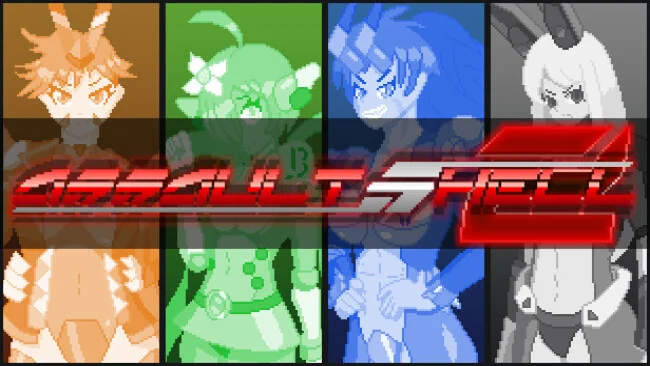
Game Overview
Heavy mechanized combat and arcade-style aggression drive this sequel’s fight against a globe-spanning techno-dictatorship. Following the collapse of Amber Black, the sinister JOKER organization uses its PSYCON system to seize control across much of the planet, leaving the Frontlancers and a faction of defectors to mount a desperate resistance. Players pilot experimental Heavy Shell units built from stolen enemy research, taking the war directly to JOKER’s strongholds. The tone is loud, colorful, and unapologetically dramatic, built around rapid-fire action rather than a slow military simulation.
ASSAULT SHELL 2 sends four new pilots through five demanding stages filled with hostile machines, traps, and oversized bosses. Combat centers on managing the Heavy Shell’s aggressive INSTALL abilities: Hyper INSTALL boosts your offensive potential, while Blank INSTALL disrupts enemies and can push them into a dangerous empowered state. That risk-and-reward system means encounters are not simply about firing constantly; knowing when to strengthen yourself, when to destabilize an opponent, and when to survive the resulting chaos matters. Stages steadily escalate toward major boss encounters, with the final objective being JOKER’s world-threatening superweapon. Local cooperative play lets two players share the assault, though it requires two controllers rather than keyboard-and-controller support.
What separates the game from a straightforward retro action shooter is its willingness to make enemy enhancement part of the strategy. Empowering opponents can create a harder immediate fight, but it also opens opportunities for players who understand the system and can stay composed under pressure. Its compact campaign structure favors repeat runs, score-chasing instincts, and learning boss patterns over a sprawling adventure, while the multiple pilots add some variety to how the battle feels. Fans of energetic indie mech action, particularly players who enjoy the focused challenge of arcade shooters and boss-heavy run-and-gun games, should find plenty to like here. Newcomers can enjoy its direct controls and concise structure, but veterans looking for a tough mechanical hook will get the most from its INSTALL system.
Screenshots
Installation
- Select the Download button at the top of this page to open UploadHaven.
- On UploadHaven, wait for any countdown, then select Free Download. Optional: UploadHaven Pro for faster downloads.
- When complete, extract the archive to a ASSAULT SHELL 2 folder using 7-Zip.
- Open the extracted folder and start the game normally.
- For errors, check Setup Guide & Troubleshooting below. Keep your security software enabled.
Setup Guide & Troubleshooting
How do I fix missing DLL errors for ASSAULT SHELL 2 (v1.04)?
After extracting ASSAULT SHELL 2 (v1.04), navigate to the _Redist or _CommonRedist folder inside the game directory and install DirectX, Vcredist, and any other dependencies included.
What should I do if the downloaded file is corrupted?
The full archive is 125.83 MB — make sure your download completed fully before extracting. Use 7-Zip to extract the files. If you still see a "file corrupted" error, re-download and try again.
Do I need to run the game as administrator?
Usually, no. Start the game normally from the extracted folder. If you see a permissions or save error, check that the folder is writable and follow the game's documented fix. Only grant administrator access when a trusted game's specific setup requires it.
How do I update my GPU drivers for this game?
The game won't launch — what should I try?
Check that extraction completed and your PC meets the system requirements. Note any error message before choosing a fix. If it identifies a missing runtime, install the required DirectX components or Microsoft Visual C++ Redistributable from Microsoft.
My antivirus is blocking the game — is it safe?
A warning needs to be investigated; the download source alone cannot confirm that a file is safe. Keep your security software enabled and review the detection details. Do not run or restore a flagged file unless you have verified that it is a false positive. If you are unsure, leave it quarantined.
