
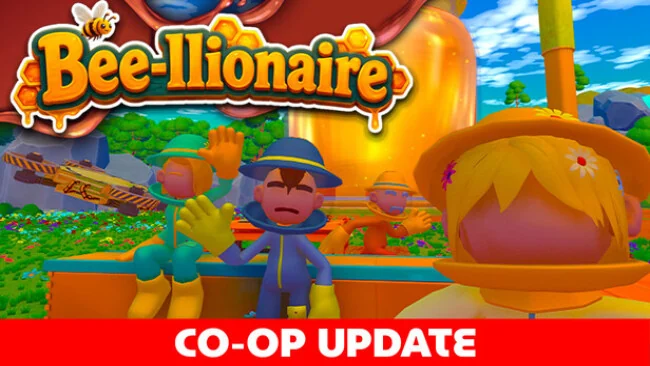
Beellionaire Incremental: Bee Simulator (v2026.11.26)
Game Overview
A quiet valley turns beekeeping into a surprisingly compelling first-person automation project, built around the absurd task of filling an enormous honey jar for a mysterious client. Beellionaire Incremental: Bee Simulator begins at ground level, with one modest hive, a handful of practical tools, and production numbers that seem laughably small beside the order waiting at the center of the farm. Its mood stays cozy rather than competitive, combining the satisfying growth curve of an incremental game with a peaceful rural setting and a light narrative about the person funding all this honey.
Players soothe hives with smoke, water them, remove frames, strip away wax, and run harvested honey through extraction equipment before sending it toward the jar. Earnings feed an extensive upgrade ladder with 35 upgrade categories and 201 total ranks, raising output while gradually replacing manual chores with sprinklers, transport drones, and stronger processing machines. Placement has a practical role as hoses connect extractors to the delivery point and drones carry materials between stations, so progress feels like assembling a working production line rather than simply pressing a button for bigger numbers. There is no competitive timer or punishing survival layer; the loop is a relaxed, single-player climb from hand labor to a self-running honey operation.
Unlike idle games that keep all their machinery in menus, the farm lets you physically walk around the equipment and see each improvement change the flow of work. Fishing, playing guitar, taking photographs, and sitting back while the machinery runs give the valley a welcome sense of downtime, while conversations with the jar’s owner provide a reason to reach the final target. Its finite eight-to-ten-hour structure also makes it more focused than an endless clicker, with a proper conclusion instead of a perpetual grind. Fans of approachable factory games such as Hydroneer or lighter Satisfactory-style automation should enjoy the tactile setup, while newcomers get a forgiving introduction to production-chain design.
Screenshots
Installation
- Select the Download button at the top of this page to open UploadHaven.
- On UploadHaven, wait for any countdown, then select Free Download. Optional: UploadHaven Pro for faster downloads.
- When complete, extract the archive to a Beellionaire Incremental: Bee Simulator folder using 7-Zip.
- Open the extracted folder and start the game normally.
- For errors, check Setup Guide & Troubleshooting below. Keep your security software enabled.
System Requirements
- OS: Windows 10
- Processor: Intel or AMD
- Memory: 4 GB RAM
- Graphics: GTX 1050 TI
- DirectX: Version 11
- Storage: 2 GB available space
Setup Guide & Troubleshooting
How do I fix missing DLL errors for Beellionaire Incremental: Bee Simulator (v2026.11.26)?
After extracting Beellionaire Incremental: Bee Simulator (v2026.11.26), navigate to the _Redist or _CommonRedist folder inside the game directory and install DirectX, Vcredist, and any other dependencies included.
What should I do if the downloaded file is corrupted?
The full archive is 415.14 MB — make sure your download completed fully before extracting. Use 7-Zip to extract the files. If you still see a "file corrupted" error, re-download and try again.
Do I need to run the game as administrator?
Usually, no. Start the game normally from the extracted folder. If you see a permissions or save error, check that the folder is writable and follow the game's documented fix. Only grant administrator access when a trusted game's specific setup requires it.
How do I update my GPU drivers for this game?
The game won't launch — what should I try?
Check that extraction completed and your PC meets the system requirements, including Version 11. Note any error message before choosing a fix. If it identifies a missing runtime, install the required DirectX components or Microsoft Visual C++ Redistributable from Microsoft.
My antivirus is blocking the game — is it safe?
A warning needs to be investigated; the download source alone cannot confirm that a file is safe. Keep your security software enabled and review the detection details. Do not run or restore a flagged file unless you have verified that it is a false positive. If you are unsure, leave it quarantined.
