
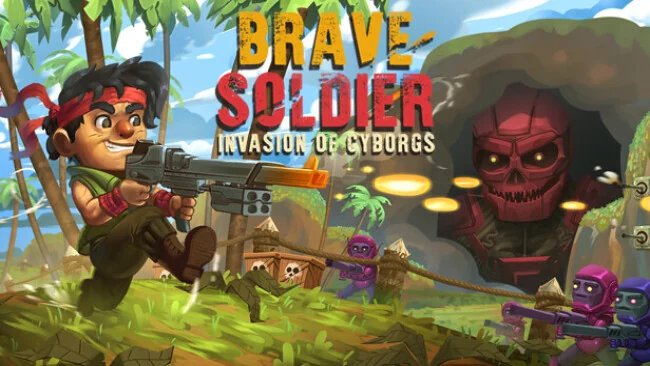
Brave Soldier – Invasion of Cyborgs (v1.0.0.1)
Game Overview
A lone soldier faces a mechanical invasion in a brisk, old-school action platformer built around sharp jumps, constant shooting, and colorful pixel-art danger. Brave Soldier – Invasion of Cyborgs keeps its premise simple: cyborg forces threaten the world, and the only answer is to push through their fortified stages with quick reflexes and plenty of firepower. The tone is energetic rather than grim, pairing a familiar retro aesthetic with levels designed to keep players moving. It aims for the feel of compact arcade platformers where a missed jump or careless encounter can immediately change the pace.
Each of the 30 hand-crafted stages mixes enemy encounters with environmental hazards that demand more than basic left-to-right running. Water channels, forceful winds, slippery ice, ropes, spike traps, and wide gaps create small platforming tests that require players to judge momentum and timing while staying alert for attackers. Combat centers on blasting cyborgs and surviving boss battles, where avoiding patterned attacks matters as much as landing repeated shots. Controls and objectives are easy to understand, but later obstacles and bosses reward careful repetition, making it a game of learning layouts and improving execution rather than simply overpowering every challenge.
Its strongest appeal lies in how many classic platforming ideas it fits into a focused, approachable package. Bright sprites, varied level backdrops, and an upbeat action soundtrack give the adventure a deliberately nostalgic character without leaning into a huge open world or complicated upgrade systems. Eighteen achievements add extra goals for players who enjoy mastering difficult stages and chasing clean completions. Fans of straightforward 2D run-and-gun games, especially players who enjoy the precision of retro console platformers, should find plenty to like here; newcomers can grasp it quickly, while genre veterans get the tougher tests of movement and boss dodging they expect.
Screenshots
Installation
- Select the Download button at the top of this page to open UploadHaven.
- On UploadHaven, wait for any countdown, then select Free Download. Optional: UploadHaven Pro for faster downloads.
- When complete, extract the archive to a Brave Soldier - Invasion of Cyborgs folder using 7-Zip.
- Open the extracted folder and start the game normally.
- For errors, check Setup Guide & Troubleshooting below. Keep your security software enabled.
System Requirements
- OS *: Windows XP
- Processor: 2 GHz
- Memory: 4 GB RAM
- Graphics: 1 GB VRAM
- DirectX: Version 10
- Storage: 100 MB available space
Setup Guide & Troubleshooting
How do I fix missing DLL errors for Brave Soldier – Invasion of Cyborgs (v1.0.0.1)?
After extracting Brave Soldier – Invasion of Cyborgs (v1.0.0.1), navigate to the _Redist or _CommonRedist folder inside the game directory and install DirectX, Vcredist, and any other dependencies included.
What should I do if the downloaded file is corrupted?
The full archive is 178.32 MB — make sure your download completed fully before extracting. Use 7-Zip to extract the files. If you still see a "file corrupted" error, re-download and try again.
Do I need to run the game as administrator?
Usually, no. Start the game normally from the extracted folder. If you see a permissions or save error, check that the folder is writable and follow the game's documented fix. Only grant administrator access when a trusted game's specific setup requires it.
How do I update my GPU drivers for this game?
The game won't launch — what should I try?
Check that extraction completed and your PC meets the system requirements, including Version 10. Note any error message before choosing a fix. If it identifies a missing runtime, install the required DirectX components or Microsoft Visual C++ Redistributable from Microsoft.
My antivirus is blocking the game — is it safe?
A warning needs to be investigated; the download source alone cannot confirm that a file is safe. Keep your security software enabled and review the detection details. Do not run or restore a flagged file unless you have verified that it is a false positive. If you are unsure, leave it quarantined.
