
Game Overview
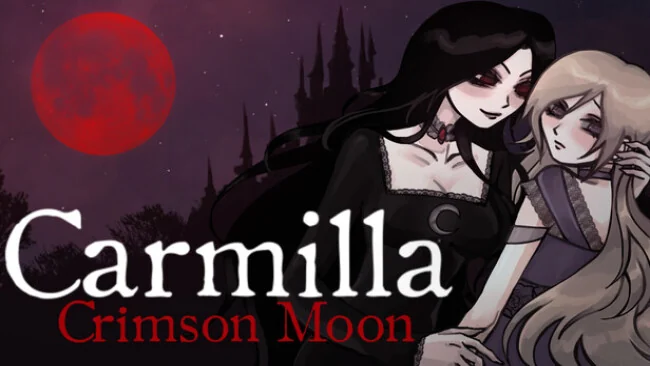
Moonlit corridors, whispered suspicions, and a seductive stranger turn an isolated Styrian castle into the setting for a tense gothic visual novel. Carmilla: Crimson Moon casts players as Laura, a sheltered young woman whose lonely routine fractures when the captivating Carmilla arrives at her home. Attraction, fear, and mounting suspicion mingle as women in the nearby village succumb to a mysterious wasting sickness. The mood stays intimate and melancholy rather than action-driven, drawing its tension from forbidden desire, family distrust, and the creeping possibility that Laura is already in too deep.
Most of the experience revolves around reading conversations, examining the intentions behind each character’s words, and making choices that define Laura’s relationships. Decisions influence both corruption and loyalty values, so responses are more than simple dialogue flavor: they determine which scenes, revelations, and character interactions become available. The central loop is one of gathering context from castle residents, deciding whom to trust, and weighing compassion against temptation as the mystery becomes clearer. Six endings give those decisions real consequence, ranging from grim psychological collapse to outcomes shaped by Laura’s bond with Carmilla, making repeat playthroughs worthwhile for players who want to trace every branch.
Hand-painted character art and richly shaded backgrounds sell the castle’s decaying elegance, while piano-led music and atmospheric sound design sustain a suitably uneasy tone. Its lesbian reinterpretation of Sheridan Le Fanu’s vampire story puts Laura’s agency at the center, framing romance and horror as inseparable forces instead of treating either as decoration. Carmilla: Crimson Moon suits readers who enjoy choice-heavy visual novels such as The House in Fata Morgana or Vampire: The Masquerade – Coteries of New York, though its focus remains firmly on prose and branching relationships rather than puzzles or combat. Newcomers to the genre can follow its straightforward decision structure, while gothic-horror veterans have plenty of incentive to pursue its hidden conversations and alternate fates.
Screenshots
Installation
- Select the Download button at the top of this page to open UploadHaven.
- On UploadHaven, wait for any countdown, then select Free Download. Optional: UploadHaven Pro for faster downloads.
- When complete, extract the archive to a Carmilla : Crimson Moon folder using 7-Zip.
- Open the extracted folder and start the game normally.
- For errors, check Setup Guide & Troubleshooting below. Keep your security software enabled.
System Requirements
- OS: Windows 10 (64-bit) or later
- Processor: 2.0 GHz 64-bit Intel/AMD compatible
- Memory: 2 GB RAM
- Graphics: OpenGL 3.0 or DirectX 11 compatible
- DirectX: Version 11
- Storage: 1 GB available space
Setup Guide & Troubleshooting
How do I fix missing DLL errors for Carmilla : Crimson Moon?
After extracting Carmilla : Crimson Moon, navigate to the _Redist or _CommonRedist folder inside the game directory and install DirectX, Vcredist, and any other dependencies included.
What should I do if the downloaded file is corrupted?
The full archive is 555.56 MB — make sure your download completed fully before extracting. Use 7-Zip to extract the files. If you still see a "file corrupted" error, re-download and try again.
Do I need to run the game as administrator?
Usually, no. Start the game normally from the extracted folder. If you see a permissions or save error, check that the folder is writable and follow the game's documented fix. Only grant administrator access when a trusted game's specific setup requires it.
How do I update my GPU drivers for this game?
The game won't launch — what should I try?
Check that extraction completed and your PC meets the system requirements, including Version 11. Note any error message before choosing a fix. If it identifies a missing runtime, install the required DirectX components or Microsoft Visual C++ Redistributable from Microsoft.
My antivirus is blocking the game — is it safe?
A warning needs to be investigated; the download source alone cannot confirm that a file is safe. Keep your security software enabled and review the detection details. Do not run or restore a flagged file unless you have verified that it is a false positive. If you are unsure, leave it quarantined.
