
Game Overview
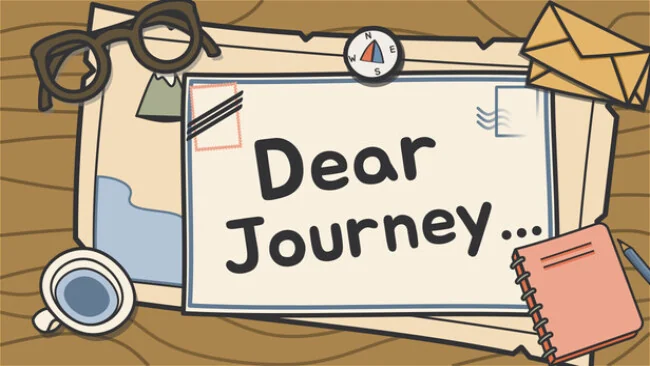
A quiet desk, a stack of letters, and the responsibility for strangers’ happiness form the heart of this gentle card-based management game. You inherit a small travel agency while its former directors wander the world, leaving you to interpret each customer’s hopes and arrange holidays that genuinely suit them. One traveller wants company, another seeks perfect light for photography, while others care about particular places, moods, or routes. The mood remains warm and unhurried throughout, with lo-fi music, handwritten correspondence, and a reassuring absence of catastrophic consequences.
Each in-game day begins by choosing requests and drawing cards representing destinations, activities, and useful additions to an itinerary. Success comes from matching cards to a traveller’s stated needs, then pairing them with the right region to boost the final score; satisfying every request creates an ideal trip. Results play out clearly, showing each bonus and multiplier rather than burying the math behind vague systems, so mistakes become easy to understand and improve on. Unhelpful hands can be refreshed, unfinished bookings can wait until another day, and weak trips merely lose time and rewards instead of ending a campaign. Keepsakes earned from milestones add another layer, as their effect changes depending on whether they are attached to an activity or destination, while upgrades and saved cards gradually make your agency more reliable.
Its strongest feature is the personal touch: returning customers sign their letters with recognizable voices, build trust, and occasionally bring gifts, making progression feel like maintaining relationships rather than simply raising numbers. Seven visually distinct regions, from frozen research outposts to monasteries and lively markets, keep the card pool evolving as reputation opens new opportunities. Multiple starting profiles and difficulty seasons provide structure for players who want a tougher puzzle, yet the forgiving design makes it equally suitable for newcomers who usually avoid optimization-heavy card games. Fans of the calm planning of Dorfromantik or the readable scoring puzzles of Wingspan will likely appreciate its thoughtful, low-pressure rhythm.
Screenshots
Installation
- Select the Download button at the top of this page to open UploadHaven.
- On UploadHaven, wait for any countdown, then select Free Download. Optional: UploadHaven Pro for faster downloads.
- When complete, extract the archive to a Dear Journey... folder using 7-Zip.
- Open the extracted folder and start the game normally.
- For errors, check Setup Guide & Troubleshooting below. Keep your security software enabled.
System Requirements
- Memory: 2 GB RAM
- Storage: 500 MB available space
Setup Guide & Troubleshooting
How do I fix missing DLL errors for Dear Journey…?
After extracting Dear Journey…, navigate to the _Redist or _CommonRedist folder inside the game directory and install DirectX, Vcredist, and any other dependencies included.
What should I do if the downloaded file is corrupted?
The full archive is 153.60 MB — make sure your download completed fully before extracting. Use 7-Zip to extract the files. If you still see a "file corrupted" error, re-download and try again.
Do I need to run the game as administrator?
Usually, no. Start the game normally from the extracted folder. If you see a permissions or save error, check that the folder is writable and follow the game's documented fix. Only grant administrator access when a trusted game's specific setup requires it.
How do I update my GPU drivers for this game?
The game won't launch — what should I try?
Check that extraction completed and your PC meets the system requirements. Note any error message before choosing a fix. If it identifies a missing runtime, install the required DirectX components or Microsoft Visual C++ Redistributable from Microsoft.
My antivirus is blocking the game — is it safe?
A warning needs to be investigated; the download source alone cannot confirm that a file is safe. Keep your security software enabled and review the detection details. Do not run or restore a flagged file unless you have verified that it is a false positive. If you are unsure, leave it quarantined.
