
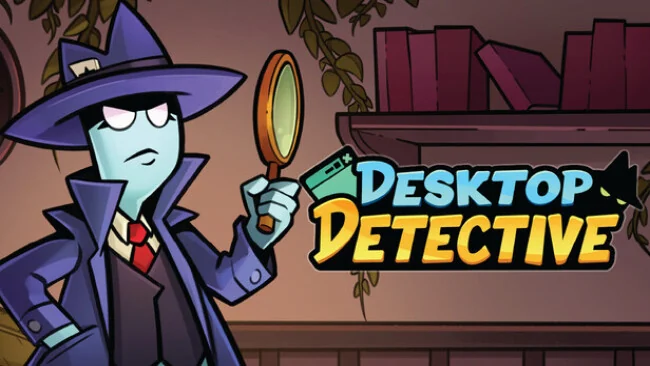
Game Overview
Cases unfold quietly while you work, browse, or play something else, turning spare attention into a steady stream of detective progress. Desktop Detective is an idle RPG built around investigating crime scenes, collecting evidence, and gradually becoming a more capable investigator rather than demanding constant clicks. Its tone is deliberately low-pressure: the game occupies a small section of the desktop instead of taking over the screen, making it easy to check in for a minute and return to whatever else you are doing. Beneath that unobtrusive presentation sits a familiar incremental-game chase for stronger stats, rarer rewards, and more efficient runs.
Investigations provide the central loop, with crime scenes yielding clues, experience, and loot as your detective advances. Leveling unlocks rewards that can include permanent improvements and additional cases, giving each stretch of play a tangible next goal beyond watching numbers rise. Equipment matters substantially, as rare pieces carry major bonuses and encourage players to compare drops, equip stronger options, and pursue combinations that dramatically improve performance. When progress slows, ascension resets the current run in exchange for Ascendium, a meta-progression resource spent on upgrades that persist into future investigations. That structure supports both passive play and more hands-on optimization, depending on how closely you want to manage gear and upgrades.
The standout idea is not simply the detective theme, but the way it is designed to coexist with everyday PC use. Adjustable placement and size let it sit in a chosen corner without competing with a full-screen game, a browser, or a work window, while still rewarding regular check-ins. It has more in common with incremental RPGs such as Melvor Idle than with narrative detective adventures like Disco Elysium or L.A. Noire; solving cases here is a progression framework, not a dialogue-heavy mystery simulation. Players who enjoy loot hunting, prestige resets, and quietly refining efficient builds will find an easygoing companion, while anyone seeking handcrafted investigations or active deduction should look elsewhere.
Screenshots
Installation
- Select the Download button at the top of this page to open UploadHaven.
- On UploadHaven, wait for any countdown, then select Free Download. Optional: UploadHaven Pro for faster downloads.
- When complete, extract the archive to a Desktop Detective folder using 7-Zip.
- Open the extracted folder and start the game normally.
- For errors, check Setup Guide & Troubleshooting below. Keep your security software enabled.
System Requirements
- OS *: Windows 7
- Processor: AMD FX-4350 / Intel® Core™ i3-3210
- Memory: 4 GB RAM
- Graphics: AMD Radeon™ R7 260X (2GB VRAM) / NVIDIA® GeForce® GTX 750(2GB VRAM)
- Storage: 350 MB available space
- Sound Card: DirectX Compatible Sound Card
Setup Guide & Troubleshooting
How do I fix missing DLL errors for Desktop Detective?
After extracting Desktop Detective, navigate to the _Redist or _CommonRedist folder inside the game directory and install DirectX, Vcredist, and any other dependencies included.
What should I do if the downloaded file is corrupted?
The full archive is 1.37 GB — make sure your download completed fully before extracting. Use 7-Zip to extract the files. If you still see a "file corrupted" error, re-download and try again.
Do I need to run the game as administrator?
Usually, no. Start the game normally from the extracted folder. If you see a permissions or save error, check that the folder is writable and follow the game's documented fix. Only grant administrator access when a trusted game's specific setup requires it.
How do I update my GPU drivers for this game?
The game won't launch — what should I try?
Check that extraction completed and your PC meets the system requirements. Note any error message before choosing a fix. If it identifies a missing runtime, install the required DirectX components or Microsoft Visual C++ Redistributable from Microsoft.
My antivirus is blocking the game — is it safe?
A warning needs to be investigated; the download source alone cannot confirm that a file is safe. Keep your security software enabled and review the detection details. Do not run or restore a flagged file unless you have verified that it is a false positive. If you are unsure, leave it quarantined.
