
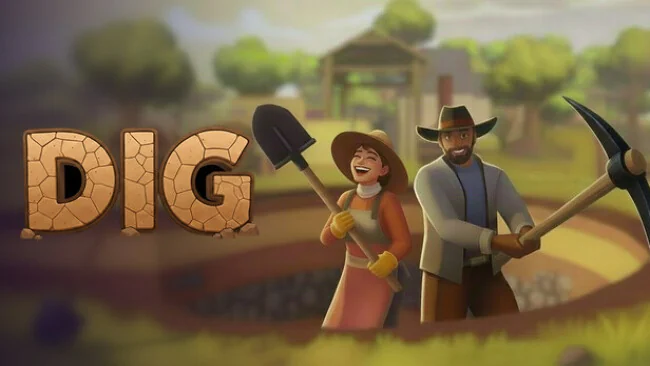
Game Overview
A patch of sunny earth becomes the center of a surprisingly absorbing cooperative routine, where every shovel strike opens another possibility below ground. DIG is a first-person sandbox for one to eight players, built around the simple pleasure of carving a massive hole through soil and stone with friends. Its mood stays gentle rather than survivalist: you chat, dig, uncover valuables, and return to a cozy workshop instead of fighting monsters or defending a base. Beneath the relaxed surface sits a steady hunt for deeper layers, rarer materials, fossils, and old blueprints buried far below the yard.
Most sessions revolve around breaking through fully destructible terrain, gathering resources, and deciding how far the crew wants to push downward before hauling its finds home. Coal, metals, quartz, gems, and fossils feed a crafting chain involving saws, furnaces, workbenches, and a machine for restoring discovered plans. Finished goods range from practical materials to characterful objects such as lanterns, kettles, gramophones, and hourglasses, which are packed into crates for customer orders. Shipping those orders brings team-wide gold and reputation that feed a shared four-branch skill tree, while drop-in online co-op, invite-code lobbies, voice chat, emotes, and controller support make it easy to treat the dig site as a social hangout.
The strongest idea here is how it turns mining into a communal, tactile activity rather than another combat-heavy extraction game. Every collapsed block visibly reshapes the site, giving progress a physical sense that recalls Minecraft’s digging appeal but with a smaller-scale, handcrafted workshop focus. Letters and photos from 27 recurring customers add warmth to the delivery loop, letting the objects you make become part of small ongoing stories about people beyond the dock. DIG suits players who enjoy the low-pressure collaboration of games like Stardew Valley or Astroneer, especially groups looking for a calm project with clear goals and plenty of room for conversation.
Screenshots
Installation
- Select the Download button at the top of this page to open UploadHaven.
- On UploadHaven, wait for any countdown, then select Free Download. Optional: UploadHaven Pro for faster downloads.
- When complete, extract the archive to a DIG folder using 7-Zip.
- Open the extracted folder and start the game normally.
- For errors, check Setup Guide & Troubleshooting below. Keep your security software enabled.
Setup Guide & Troubleshooting
How do I fix missing DLL errors for DIG?
After extracting DIG, navigate to the _Redist or _CommonRedist folder inside the game directory and install DirectX, Vcredist, and any other dependencies included.
What should I do if the downloaded file is corrupted?
The full archive is 641.40 MB — make sure your download completed fully before extracting. Use 7-Zip to extract the files. If you still see a "file corrupted" error, re-download and try again.
Do I need to run the game as administrator?
Usually, no. Start the game normally from the extracted folder. If you see a permissions or save error, check that the folder is writable and follow the game's documented fix. Only grant administrator access when a trusted game's specific setup requires it.
How do I update my GPU drivers for this game?
The game won't launch — what should I try?
Check that extraction completed and your PC meets the system requirements. Note any error message before choosing a fix. If it identifies a missing runtime, install the required DirectX components or Microsoft Visual C++ Redistributable from Microsoft.
My antivirus is blocking the game — is it safe?
A warning needs to be investigated; the download source alone cannot confirm that a file is safe. Keep your security software enabled and review the detection details. Do not run or restore a flagged file unless you have verified that it is a false positive. If you are unsure, leave it quarantined.
