
Game Overview
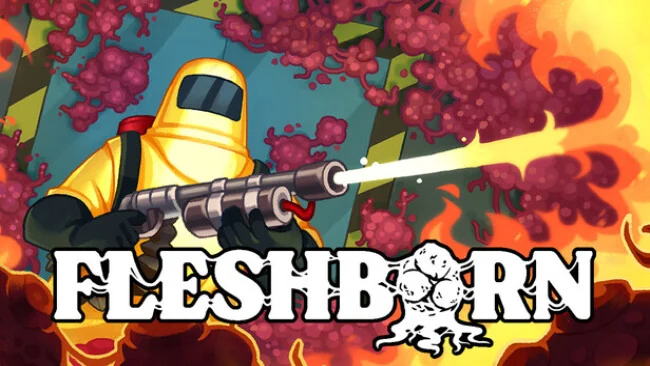
Fire is both weapon and lifeline in this compact, grisly incremental action game, where a decaying laboratory has become a breeding ground for invasive organic matter. Fleshborn casts you as a survivor armed with a flamethrower and sent room by room through a sealed research complex that feels increasingly hostile the deeper you descend. The mood leans into body horror rather than outright jump scares: corridors pulse with unnatural life, machinery sits abandoned, and every new discovery raises questions about the experiment that ruined the facility. Its focused three-hour scale makes the experience easy to finish while still giving the mystery room to develop through reports and story scenes.
Most of your time is spent incinerating clusters of living biomass, collecting the blood-like resource they leave behind, and using those gains to improve future attempts. A large upgrade network steadily changes how effective and versatile your flamethrower becomes, unlocking stronger damage, improved resource gains, survival tools, and abilities that can reshape your approach to later runs. Clearing areas opens the route through five distinct floors, while hidden information rewards players who pay attention to environmental details instead of simply chasing the next combat encounter. The incremental structure keeps progression moving even when a particular push goes poorly, making it more about building momentum than mastering punishing twitch combat.
What stands out is the combination of idle-style permanent advancement with a direct, hands-on cleansing loop; you are not merely watching numbers rise, but actively carving safe paths through a grotesque infestation. The setting has shades of classic sci-fi horror such as Dead Space or System Shock, though its scope is far smaller and its emphasis is on upgrades rather than elaborate shooting encounters. Sixteen collectible reports and narrative cutscenes give the laboratory more purpose than a simple score-chasing arena, especially as the protagonist’s own past comes into focus. Fleshborn suits players who want a brief, atmospheric progression game with satisfying upgrades, and it is approachable for genre newcomers while offering enough build experimentation for incremental-game regulars.
Screenshots
Installation
- Select the Download button at the top of this page to open UploadHaven.
- On UploadHaven, wait for any countdown, then select Free Download. Optional: UploadHaven Pro for faster downloads.
- When complete, extract the archive to a Fleshborn folder using 7-Zip.
- Open the extracted folder and start the game normally.
- For errors, check Setup Guide & Troubleshooting below. Keep your security software enabled.
System Requirements
- Requires a 64-bit processor and operating system
- OS: Windows 10
- Processor: Intel Core i5
- Memory: 8 GB RAM
Setup Guide & Troubleshooting
How do I fix missing DLL errors for Fleshborn (v1.0.0)?
After extracting Fleshborn (v1.0.0), navigate to the _Redist or _CommonRedist folder inside the game directory and install DirectX, Vcredist, and any other dependencies included.
What should I do if the downloaded file is corrupted?
The full archive is 181.46 MB — make sure your download completed fully before extracting. Use 7-Zip to extract the files. If you still see a "file corrupted" error, re-download and try again.
Do I need to run the game as administrator?
Usually, no. Start the game normally from the extracted folder. If you see a permissions or save error, check that the folder is writable and follow the game's documented fix. Only grant administrator access when a trusted game's specific setup requires it.
How do I update my GPU drivers for this game?
The game won't launch — what should I try?
Check that extraction completed and your PC meets the system requirements. Note any error message before choosing a fix. If it identifies a missing runtime, install the required DirectX components or Microsoft Visual C++ Redistributable from Microsoft.
My antivirus is blocking the game — is it safe?
A warning needs to be investigated; the download source alone cannot confirm that a file is safe. Keep your security software enabled and review the detection details. Do not run or restore a flagged file unless you have verified that it is a false positive. If you are unsure, leave it quarantined.
