
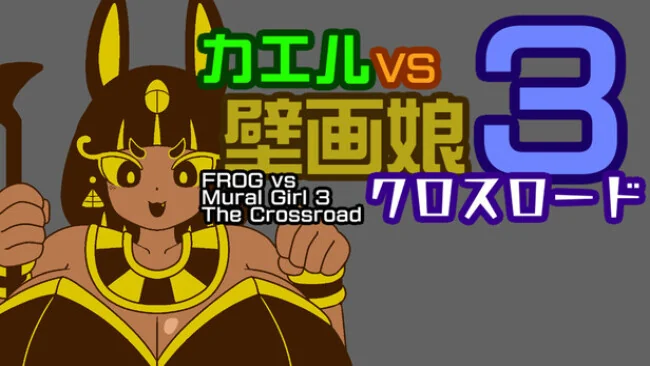
FROG vs Mural Girl 3 The Crossroad (v1.1 & Uncensored)
Game Overview
A tiny frog faces enormous, paper-thin opponents in a bizarre 3D platform-action adventure that turns scale into its central challenge. FROG vs Mural Girl 3 The Crossroad continues the series’ strange conflict with towering Mural Girls, combining playful-looking character design with decidedly adult material and unsettling scenarios. Its tone is deliberately absurd, but the action is framed around navigating dangerous arenas and overcoming enemies that dwarf the player character. Players familiar with the earlier entries get a direct continuation, though the core premise is simple enough to understand on its own.
Platforming and boss-focused encounters drive the experience, with the frog moving through eight stages built around battles against the Mural Girls. Collectible items appearing during these confrontations do more than reward careful play: they alter the route forward, creating branches that lead toward four different endings. That structure encourages replays, since a successful run is not only about reaching the next encounter but also about deciding which pickups to pursue. Keyboard controls are supported, while a controller is the more comfortable option for handling movement and action in its 3D spaces; the game explains its inputs as you play.
The standout idea is the contrast between a very small protagonist and gigantic, flat character designs that make every confrontation feel visually unusual. Branching paths give the third installment more variation than a straightforward stage-by-stage action game, and some routes push the series’ mature content further than prior entries. Adult themes, nudity, and explicit sexual material make this strictly a title for mature players, rather than a broadly accessible platformer. Fans of niche Japanese indie action games, eccentric boss battles, and route-based replay value are the clearest audience, especially if they already enjoy the first two FROG vs Mural Girl releases.
Screenshots
Installation
- Select the Download button at the top of this page to open UploadHaven.
- On UploadHaven, wait for any countdown, then select Free Download. Optional: UploadHaven Pro for faster downloads.
- When complete, extract the archive to a FROG vs Mural Girl 3 The Crossroad folder using 7-Zip.
- Open the extracted folder and start the game normally.
- For errors, check Setup Guide & Troubleshooting below. Keep your security software enabled.
System Requirements
- Requires a 64-bit processor and operating system
- OS: Windows11
- Processor: core i9-14900k
- Memory: 32 MB RAM
Setup Guide & Troubleshooting
How do I fix missing DLL errors for FROG vs Mural Girl 3 The Crossroad (v1.1 & Uncensored)?
After extracting FROG vs Mural Girl 3 The Crossroad (v1.1 & Uncensored), navigate to the _Redist or _CommonRedist folder inside the game directory and install DirectX, Vcredist, and any other dependencies included.
What should I do if the downloaded file is corrupted?
The full archive is 298.11 MB — make sure your download completed fully before extracting. Use 7-Zip to extract the files. If you still see a "file corrupted" error, re-download and try again.
Do I need to run the game as administrator?
Usually, no. Start the game normally from the extracted folder. If you see a permissions or save error, check that the folder is writable and follow the game's documented fix. Only grant administrator access when a trusted game's specific setup requires it.
How do I update my GPU drivers for this game?
The game won't launch — what should I try?
Check that extraction completed and your PC meets the system requirements. Note any error message before choosing a fix. If it identifies a missing runtime, install the required DirectX components or Microsoft Visual C++ Redistributable from Microsoft.
My antivirus is blocking the game — is it safe?
A warning needs to be investigated; the download source alone cannot confirm that a file is safe. Keep your security software enabled and review the detection details. Do not run or restore a flagged file unless you have verified that it is a false positive. If you are unsure, leave it quarantined.
