
Game Overview
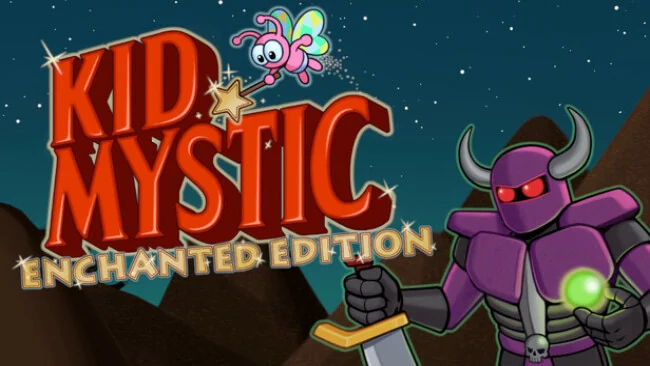
Fireballs, goofy fantasy villains, and old-school action-RPG dungeon crawling define this affectionate revival of a late-’90s cult oddity. Kid Mystic follows a disastrously inattentive magic-school student who becomes Tulipton’s unlikely defender when the dangerous Bobby Khan threatens the town. The goal is suitably direct: battle through monster-packed stages, recover the Armageddon Sword, and put an end to the threat. Its tone is deliberately silly and scrappy, preserving the charm of an era when PC RPGs could be colorful, blunt, and happily unconcerned with prestige.
Combat centers on casting spells while navigating compact levels filled with enemies, traps, switches, secrets, and environmental puzzles. The original 1999 campaign offers a straightforward 32-level blast through Spooky Castle, while the Classic version expands the adventure with extra areas, bosses, equipment, and collectible Fairies that grant benefits alongside potential drawbacks. Modern Mode adds a more substantial progression layer through 36 upgradeable skills and 24 craftable runes, allowing players to specialize their hero rather than rely on a single dominant spell. Reworked stages include additional puzzles and opponents, water no longer functions as an instant death sentence, and the spell list is tuned so more tools remain worthwhile throughout the campaign.
What makes Enchanted Edition interesting is its refusal to erase its history: three distinct versions let players sample the bare-bones original, the expanded 2004 release, or the fully revised modern interpretation. Challenge Mode and Madcap Mode add alternate ways to revisit the adventure after completion, while Brutal variants cater to players who want tighter margins and harsher encounters. The remastered audio and quality-of-life changes make it easier to recommend than the original without sanding off its weird, homemade personality. Fans of compact action RPGs in the vein of early Zelda-style dungeon adventures, especially those who enjoy retro PC curiosities, find plenty to like; newcomers should begin with Modern Mode, while purists can enjoy the intentionally primitive 1999 version.
Screenshots
Installation
- Select the Download button at the top of this page to open UploadHaven.
- On UploadHaven, wait for any countdown, then select Free Download. Optional: UploadHaven Pro for faster downloads.
- When complete, extract the archive to a Kid Mystic: Enchanted Edition folder using 7-Zip.
- Open the extracted folder and start the game normally.
- For errors, check Setup Guide & Troubleshooting below. Keep your security software enabled.
System Requirements
- OS: Windows 10 or Later
- Processor: 2 GHz
- Memory: 128 MB RAM
- Graphics: OpenGL 3.2 Compatible Graphics
- Storage: 100 MB available space
Setup Guide & Troubleshooting
How do I fix missing DLL errors for Kid Mystic: Enchanted Edition (v4.4)?
After extracting Kid Mystic: Enchanted Edition (v4.4), navigate to the _Redist or _CommonRedist folder inside the game directory and install DirectX, Vcredist, and any other dependencies included.
What should I do if the downloaded file is corrupted?
The full archive is 103.28 MB — make sure your download completed fully before extracting. Use 7-Zip to extract the files. If you still see a "file corrupted" error, re-download and try again.
Do I need to run the game as administrator?
Usually, no. Start the game normally from the extracted folder. If you see a permissions or save error, check that the folder is writable and follow the game's documented fix. Only grant administrator access when a trusted game's specific setup requires it.
How do I update my GPU drivers for this game?
The game won't launch — what should I try?
Check that extraction completed and your PC meets the system requirements. Note any error message before choosing a fix. If it identifies a missing runtime, install the required DirectX components or Microsoft Visual C++ Redistributable from Microsoft.
My antivirus is blocking the game — is it safe?
A warning needs to be investigated; the download source alone cannot confirm that a file is safe. Keep your security software enabled and review the detection details. Do not run or restore a flagged file unless you have verified that it is a false positive. If you are unsure, leave it quarantined.
