
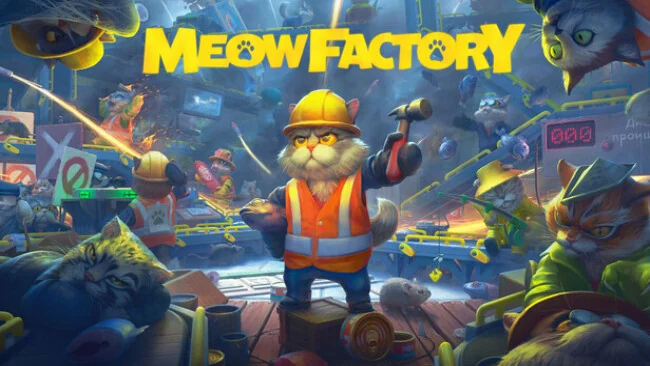
Game Overview
Human industry has reached the point where its last hope comes with whiskers, paws, and a questionable commitment to workplace safety. MeowFactory is a compact factory-management game set against a bleak near-future backdrop, where cats become the workforce responsible for restoring production for their lazy human customers. Its grim premise is played for comedy: every polished assembly line risks becoming a furry disaster zone when an employee gets hungry, dirty, bored, or far too curious about dangerous machinery. The result is a lighthearted but demanding automation sim with the chaotic energy of a cat video and the logistical pressure of a production puzzle.
Players lay out machines, route resources between them, and create increasingly complete manufacturing chains within limited floor space. Efficient conveyor placement matters because manual hauling wastes valuable paw-power, yet belts introduce their own hazards when cats decide to ride them straight toward trouble. Each worker has needs and a role to manage, so assigning the right feline to the right task is as important as designing a clean production layout. Keeping staff fed, happy, and hygienic prevents breakdowns that can escalate from messes and vomit to fires, explosions, and expensive shutdowns, while broader product ranges improve the factory’s output.
What separates MeowFactory from more clinical automation games is that workers are not abstract units: they are unpredictable little personalities capable of ruining a perfect plan. The game turns optimization into a balancing act between machine efficiency and basic feline supervision, making every accident feel both frustrating and deserved. Its smaller-scale, space-conscious design should appeal to players who enjoy the conveyor logic of Factorio or the workplace chaos of Two Point Hospital without committing to a vast industrial sandbox. Newcomers can enjoy the accessible visual humor, while veterans of management sims will find the real challenge in maintaining a productive factory for more than a few accident-free days.
Screenshots
Installation
- Select the Download button at the top of this page to open UploadHaven.
- On UploadHaven, wait for any countdown, then select Free Download. Optional: UploadHaven Pro for faster downloads.
- When complete, extract the archive to a MeowFactory folder using 7-Zip.
- Open the extracted folder and start the game normally.
- For errors, check Setup Guide & Troubleshooting below. Keep your security software enabled.
System Requirements
- OS: Windows 10
- Processor: Intel Core i5-4460 3.20GHz
- Memory: 8 GB RAM
- Graphics: Nvidia GTX 1060 6GB
- DirectX: Version 11
- Storage: 4 GB available space
Setup Guide & Troubleshooting
How do I fix missing DLL errors for MeowFactory?
After extracting MeowFactory, navigate to the _Redist or _CommonRedist folder inside the game directory and install DirectX, Vcredist, and any other dependencies included.
What should I do if the downloaded file is corrupted?
The full archive is 2.25 GB — make sure your download completed fully before extracting. Use 7-Zip to extract the files. If you still see a "file corrupted" error, re-download and try again.
Do I need to run the game as administrator?
Usually, no. Start the game normally from the extracted folder. If you see a permissions or save error, check that the folder is writable and follow the game's documented fix. Only grant administrator access when a trusted game's specific setup requires it.
How do I update my GPU drivers for this game?
The game won't launch — what should I try?
Check that extraction completed and your PC meets the system requirements, including Version 11. Note any error message before choosing a fix. If it identifies a missing runtime, install the required DirectX components or Microsoft Visual C++ Redistributable from Microsoft.
My antivirus is blocking the game — is it safe?
A warning needs to be investigated; the download source alone cannot confirm that a file is safe. Keep your security software enabled and review the detection details. Do not run or restore a flagged file unless you have verified that it is a false positive. If you are unsure, leave it quarantined.
