
Game Overview
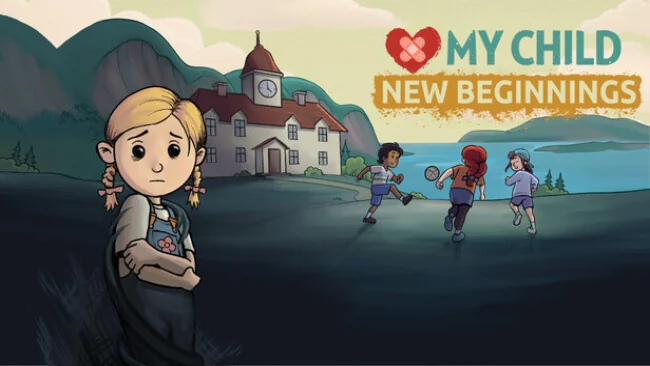
Parenting, rather than heroics or combat, drives this intimate narrative adventure about rebuilding a life after trauma. You relocate with Karin or Klaus to a small postwar village, hoping that a better home, kinder neighbours, and a new school offer the stability your family has lacked. The gentle domestic setting carries considerable emotional weight as buried memories resurface, turning everyday moments into difficult opportunities to listen, reassure, and heal. My Child New Beginnings follows the earlier My Child Lebensborn, but works as a new chapter focused on what recovery looks like after survival.
Daily play centres on caring for your child while navigating conversations, school problems, friendships, household needs, and emotional crises. Choices shape how you respond when Karin or Klaus becomes overwhelmed, and the emphasis lies less on finding a perfect answer than recognising needs before distance and anxiety deepen. The story spans more than 25 chapters, mixing home life with village activities and excursions such as backcountry hikes beneath the northern lights. Steam players also receive extra narrative episodes, multiple save files for revisiting decisions, substantial outfit and furnishing options, and the ability to continue with a child raised in the previous game.
Its strongest quality is the willingness to treat mental health as an ongoing process rather than a plot twist solved by one heartfelt conversation. Hand-drawn, storybook-like presentation softens the mood without trivialising themes of isolation, prejudice, grief, and trauma responses, while decorating the home gives players a small but meaningful sense of creating safety. The additional Reporter storyline adds a more curious, youthful angle as your child investigates secrets close to home. Fans of emotionally focused choice-driven games such as Life is Strange, or anyone who connected with My Child Lebensborn, should find a compassionate, deliberately paced follow-up here; players wanting action, complex simulation systems, or consequence-heavy branching may find its quieter approach limited.
Screenshots
Installation
- Select the Download button at the top of this page to open UploadHaven.
- On UploadHaven, wait for any countdown, then select Free Download. Optional: UploadHaven Pro for faster downloads.
- When complete, extract the archive to a My Child New Beginnings folder using 7-Zip.
- Open the extracted folder and start the game normally.
- For errors, check Setup Guide & Troubleshooting below. Keep your security software enabled.
System Requirements
- Requires a 64-bit processor and operating system
- OS *: Windows 7 64bit
- Processor: Intel Pentium 2GHZ or AMD equivalent
- Memory: 4 GB RAM
- Graphics: DX10,DX11,DX12
- Storage: 8 GB available space
- Sound Card: DX10,DX11,DX12 compatible
Setup Guide & Troubleshooting
How do I fix missing DLL errors for My Child New Beginnings?
After extracting My Child New Beginnings, navigate to the _Redist or _CommonRedist folder inside the game directory and install DirectX, Vcredist, and any other dependencies included.
What should I do if the downloaded file is corrupted?
The full archive is 1.38 GB — make sure your download completed fully before extracting. Use 7-Zip to extract the files. If you still see a "file corrupted" error, re-download and try again.
Do I need to run the game as administrator?
Usually, no. Start the game normally from the extracted folder. If you see a permissions or save error, check that the folder is writable and follow the game's documented fix. Only grant administrator access when a trusted game's specific setup requires it.
How do I update my GPU drivers for this game?
The game won't launch — what should I try?
Check that extraction completed and your PC meets the system requirements. Note any error message before choosing a fix. If it identifies a missing runtime, install the required DirectX components or Microsoft Visual C++ Redistributable from Microsoft.
My antivirus is blocking the game — is it safe?
A warning needs to be investigated; the download source alone cannot confirm that a file is safe. Keep your security software enabled and review the detection details. Do not run or restore a flagged file unless you have verified that it is a false positive. If you are unsure, leave it quarantined.
