
Game Overview
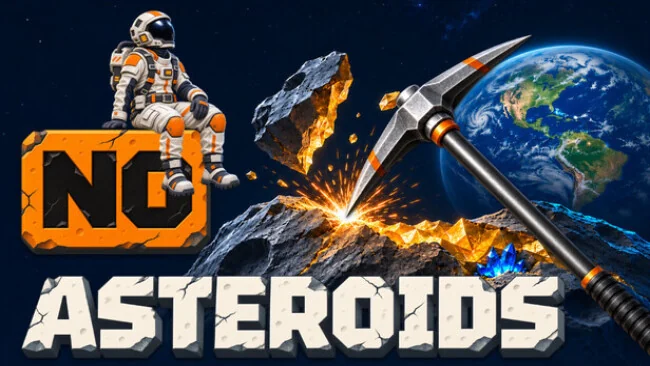
A five-million-cubic-metre asteroid is ninety days from Earth, and the planet’s grand emergency plan ultimately rests on one cash-strapped miner with a pickaxe. No Asteroids turns planetary defense into a deliberately absurd first-person mining-and-upgrade campaign, balancing looming-catastrophe stakes with dry jokes about government inertia and public spectacle. Each descent feels scrappy at first: you are not a chosen hero, just a contractor trying to make the incoming rock fund its own destruction. The mood stays playful and satirical rather than grim, even as an enormous remaining-volume counter makes the deadline impossible to ignore.
Days revolve around landing on the asteroid, carving material out before oxygen runs low, hauling your finds back to the ship, and converting ore into stronger equipment. Tool progression moves from manual mining toward increasingly extravagant hardware, while purchasable ship weapons automatically bombard the target and eventually include a black-hole launcher. Breaking off chunks changes the worksite, and loose fragments can become improvised platforms to ride, adding a physical traversal angle to excavation. Online co-op supports up to eight miners on one shared asteroid; the host controls the communal budget and can start departure—or leave careless teammates outside, where missed extraction means unconsciousness and lost cargo.
Rather than treating upgrades as abstract statistics, it makes the visible asteroid shrink under both your labor and your arsenal, selling the scale of the objective. The ship also frames the comedy: a museum collects odd finds, an observation dome looks back at a skeptical Earth, and post-campaign contracts escalate into stranger demolition jobs. A solo run lasts roughly six to nine hours, making it approachable for an evening-focused co-op group or a player who enjoys incremental power growth without a huge commitment. Fans of Deep Rock Galactic’s cooperative mining and the irreverent catastrophe humor of Goat Simulator should find its blend especially appealing, though its real draw is collaborative chaos with a clear shared goal.
Screenshots
Installation
- Select the Download button at the top of this page to open UploadHaven.
- On UploadHaven, wait for any countdown, then select Free Download. Optional: UploadHaven Pro for faster downloads.
- When complete, extract the archive to a No Asteroids folder using 7-Zip.
- Open the extracted folder and start the game normally.
- For errors, check Setup Guide & Troubleshooting below. Keep your security software enabled.
System Requirements
- Requires a 64-bit processor and operating system
- OS: Windows 10 64-bit
- Processor: 4 cores, Intel Core i5-7400 / AMD Ryzen 3 1200
- Memory: 8 GB RAM
- Graphics: DirectX 11 GPU with 2 GB VRAM: GeForce GTX 1050 / Radeon RX 560 / Intel Iris Xe
- DirectX: Version 11
- Storage: 1 GB available space
- Additional Notes: Mouse and keyboard or a controller. Online co-op needs an internet connection.
Setup Guide & Troubleshooting
How do I fix missing DLL errors for No Asteroids (v1.0.6)?
After extracting No Asteroids (v1.0.6), navigate to the _Redist or _CommonRedist folder inside the game directory and install DirectX, Vcredist, and any other dependencies included.
What should I do if the downloaded file is corrupted?
The full archive is 607.29 MB — make sure your download completed fully before extracting. Use 7-Zip to extract the files. If you still see a "file corrupted" error, re-download and try again.
Do I need to run the game as administrator?
Usually, no. Start the game normally from the extracted folder. If you see a permissions or save error, check that the folder is writable and follow the game's documented fix. Only grant administrator access when a trusted game's specific setup requires it.
How do I update my GPU drivers for this game?
The game won't launch — what should I try?
Check that extraction completed and your PC meets the system requirements, including Version 11. Note any error message before choosing a fix. If it identifies a missing runtime, install the required DirectX components or Microsoft Visual C++ Redistributable from Microsoft.
My antivirus is blocking the game — is it safe?
A warning needs to be investigated; the download source alone cannot confirm that a file is safe. Keep your security software enabled and review the detection details. Do not run or restore a flagged file unless you have verified that it is a false positive. If you are unsure, leave it quarantined.
