
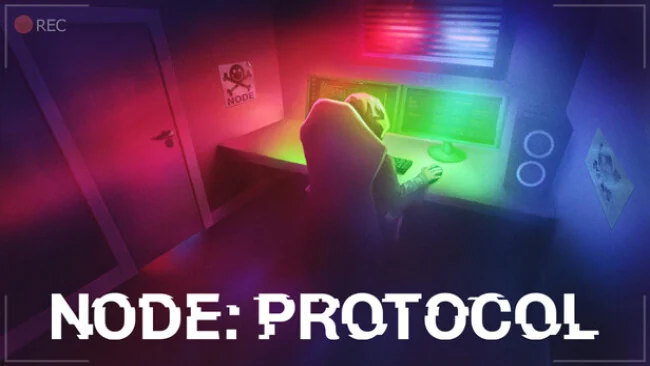
Game Overview
A sprawling cybercrime sandbox turns the fantasy of breaking into networks into a tense management game where every shortcut creates new danger. NODE: PROTOCOL places players behind a virtual terminal, juggling contracts, criminal opportunities, corporate retaliation, and an increasingly personal war with rival hackers. Its tone sits somewhere between the old-school paranoia of Uplink and a modern systems-driven sim: anonymous at first, then steadily more hostile as your reputation grows and the world begins connecting the dots.
Work revolves around investigating targets, assembling an access route, running terminal commands, exploiting weak points, and deciding how much evidence to leave behind. More than simple command prompts, jobs involve persistent networks with LANs, security hardware, operating-system layers, wallets, phones, and servers that remain altered after an operation. Hardware matters too: pushing a machine too hard raises temperatures, power use, noise, and throttling, so a risky intrusion can collapse because your own rig is struggling. The trace system gives failure real weight without treating it as a hard ending; raids take resources and progress, while burner connections, proxy chains, safehouses, and careful cleanup offer ways to survive the pressure.
The strongest idea is how many systems feed the same cat-and-mouse loop. Crypto markets can fund an operation or ruin a careless player, compromised machines can become part of a botnet, and jobs can range from digital espionage to physical payload delivery and signal-focused phone attacks. Missions ripple outward through news, rival behavior, faction responses, and later contracts, giving the campaign a reactive quality rather than a static checklist. Solo players who enjoy technical role-playing and dense simulation will find plenty to learn, while co-op crews and competitive CTF modes make it especially appealing to friends who want a more elaborate, consequence-heavy alternative to Uplink or Hacknet.
Screenshots
Installation
- Select the Download button at the top of this page to open UploadHaven.
- On UploadHaven, wait for any countdown, then select Free Download. Optional: UploadHaven Pro for faster downloads.
- When complete, extract the archive to a NODE: PROTOCOL folder using 7-Zip.
- Open the extracted folder and start the game normally.
- For errors, check Setup Guide & Troubleshooting below. Keep your security software enabled.
System Requirements
- OS: Windows 10 64-bit
- Processor: 64-bit dual-core x86-64 CPU
- Memory: 2048 MB RAM
- Graphics: OpenGL 3.3 compatible GPU
- Network: Broadband Internet connection
- Storage: 1500 MB available space
Setup Guide & Troubleshooting
How do I fix missing DLL errors for NODE: PROTOCOL (v0.9.6)?
After extracting NODE: PROTOCOL (v0.9.6), navigate to the _Redist or _CommonRedist folder inside the game directory and install DirectX, Vcredist, and any other dependencies included.
What should I do if the downloaded file is corrupted?
The full archive is 1.28 GB — make sure your download completed fully before extracting. Use 7-Zip to extract the files. If you still see a "file corrupted" error, re-download and try again.
Do I need to run the game as administrator?
Usually, no. Start the game normally from the extracted folder. If you see a permissions or save error, check that the folder is writable and follow the game's documented fix. Only grant administrator access when a trusted game's specific setup requires it.
How do I update my GPU drivers for this game?
The game won't launch — what should I try?
Check that extraction completed and your PC meets the system requirements. Note any error message before choosing a fix. If it identifies a missing runtime, install the required DirectX components or Microsoft Visual C++ Redistributable from Microsoft.
My antivirus is blocking the game — is it safe?
A warning needs to be investigated; the download source alone cannot confirm that a file is safe. Keep your security software enabled and review the detection details. Do not run or restore a flagged file unless you have verified that it is a false positive. If you are unsure, leave it quarantined.
