
Game Overview
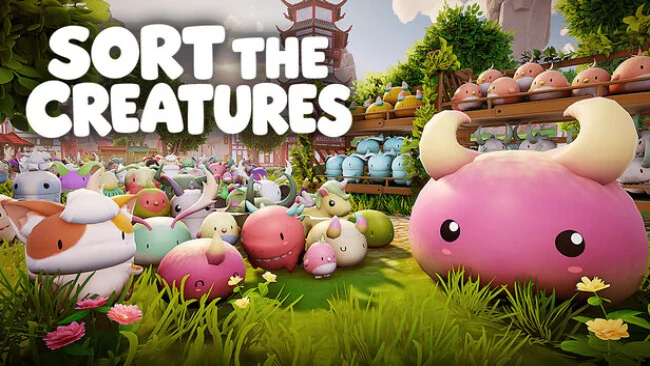
A sprawling field of tiny, colorful creatures turns simple tidying into a gentle collection obsession. Sort the Creatures is a cozy organizing game built around gathering lost-looking critters and placing each one in the terrarium where it belongs. There is no combat, timer pressure, or harsh punishment here; the appeal comes from transforming a busy, living mess into a neat display of completed habitats. Its bright visuals and changing times of day give the experience the pleasant feel of tending an oversized animated garden.
Players roam open fields, pick up creatures individually, and carry them to terrariums marked for their matching type. Each enclosure needs a full set of its particular residents, so the main loop is part visual scanning, part inventory management, and part satisfying cleanup. More than 4,000 creatures populate the world, with over 400 variations to recognize, meaning progress steadily reveals new combinations rather than ending after a few simple matches. Upgrades improve how many creatures can be carried at once, help locate needed varieties, and speed up collection through stronger gathering abilities, reducing the busywork without removing the central sorting pleasure.
Completion animations give every finished terrarium a small payoff, making even routine placement feel rewarding. The scale separates it from compact “find the matching item” puzzlers: instead of clearing one static screen, players gradually impose order across broad, colorful spaces packed with movement. Its structure resembles the low-stress satisfaction of A Little to the Left or Unpacking, though the creature collecting and upgrade system make it more active and game-like than either. Sort the Creatures suits players who enjoy cataloging, incremental progress, and calm games that can be played in short bursts, while dedicated completionists have hundreds of variants to hunt down and organize.
Screenshots
Installation
- Select the Download button at the top of this page to open UploadHaven.
- On UploadHaven, wait for any countdown, then select Free Download. Optional: UploadHaven Pro for faster downloads.
- When complete, extract the archive to a Sort the Creatures folder using 7-Zip.
- Open the extracted folder and start the game normally.
- For errors, check Setup Guide & Troubleshooting below. Keep your security software enabled.
System Requirements
- Requires a 64-bit processor and operating system
- OS: Windows 11 64 bit
- Processor: Intel Core i5-10400 or AMD Ryzen 5 3600 or similar
- Memory: 6 GB RAM
- Graphics: NVIDIA GeForce RTX 3060 or AMD Radeon RX 6600 XT or similar
- DirectX: Version 11
- Storage: 6 GB available space
Setup Guide & Troubleshooting
How do I fix missing DLL errors for Sort the Creatures (v1.1)?
After extracting Sort the Creatures (v1.1), navigate to the _Redist or _CommonRedist folder inside the game directory and install DirectX, Vcredist, and any other dependencies included.
What should I do if the downloaded file is corrupted?
The full archive is 1.27 GB — make sure your download completed fully before extracting. Use 7-Zip to extract the files. If you still see a "file corrupted" error, re-download and try again.
Do I need to run the game as administrator?
Usually, no. Start the game normally from the extracted folder. If you see a permissions or save error, check that the folder is writable and follow the game's documented fix. Only grant administrator access when a trusted game's specific setup requires it.
How do I update my GPU drivers for this game?
The game won't launch — what should I try?
Check that extraction completed and your PC meets the system requirements, including Version 11. Note any error message before choosing a fix. If it identifies a missing runtime, install the required DirectX components or Microsoft Visual C++ Redistributable from Microsoft.
My antivirus is blocking the game — is it safe?
A warning needs to be investigated; the download source alone cannot confirm that a file is safe. Keep your security software enabled and review the detection details. Do not run or restore a flagged file unless you have verified that it is a false positive. If you are unsure, leave it quarantined.
