
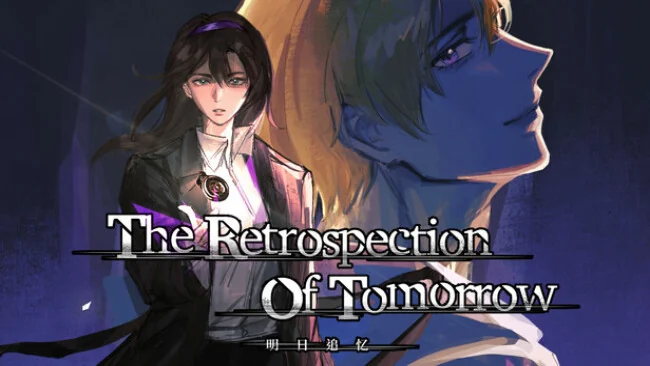
Game Overview
A college seminar on time travel turns into a suicide, a shattered memory, and the realization that tomorrow may already be repeating. Playing as Fay, whose name can be customized, you move through fourteen years of her life while trying to understand why familiar events keep returning in altered forms. The Retrospection Of Tomorrow blends sci-fi mystery with otome-style romance, balancing tender relationships against a steadily darker story about guilt, fate, and the desperate need to keep loved ones alive. Its mood shifts effectively from youthful nostalgia to unnerving suspense as every apparent answer exposes another contradiction.
Progress comes through reading closely, making story choices, pursuing relationships, and gathering clues from conversations and key memories. Fay revisits the past through a time machine, but changing a single event has consequences that ripple across timelines, making each return feel less like a clean reset and more like another piece of an increasingly dangerous puzzle. Collected evidence can be reviewed and presented at important moments, so attention matters; seemingly minor details often gain new meaning once later revelations arrive. Four romance options offer different emotional angles on the central mystery, while the non-linear structure encourages players to compare routes, outcomes, and versions of the truth.
Rather than treating romance as a separate reward track, the game uses each relationship to reveal more about Fay’s history and the strange connections binding the cast together. Hand-drawn character illustrations, numerous bespoke locations, and an original soundtrack give the visual-novel format a polished, intimate presentation, while the script has room for both melodrama and deliberately odd humor. Players who enjoy the looping timelines of Steins;Gate, the route-driven revelations of Zero Escape, or emotionally charged otome mysteries will find plenty to unpack here. It suits visual-novel newcomers who want a story-first experience, but it especially rewards veterans willing to revisit scenes, question their assumptions, and chase the ending that saves everyone.
Screenshots
Installation
- Select the Download button at the top of this page to open UploadHaven.
- On UploadHaven, wait for any countdown, then select Free Download. Optional: UploadHaven Pro for faster downloads.
- When complete, extract the archive to a The Retrospection Of Tomorrow folder using 7-Zip.
- Open the extracted folder and start the game normally.
- For errors, check Setup Guide & Troubleshooting below. Keep your security software enabled.
System Requirements
- Requires a 64-bit processor and operating system
- OS: Windows 10 / 11 (64-bit)
- Memory: 4 GB RAM
- Graphics: Integrated Graphics
- Storage: 2 GB available space
Setup Guide & Troubleshooting
How do I fix missing DLL errors for The Retrospection Of Tomorrow?
After extracting The Retrospection Of Tomorrow, navigate to the _Redist or _CommonRedist folder inside the game directory and install DirectX, Vcredist, and any other dependencies included.
What should I do if the downloaded file is corrupted?
The full archive is 1.38 GB — make sure your download completed fully before extracting. Use 7-Zip to extract the files. If you still see a "file corrupted" error, re-download and try again.
Do I need to run the game as administrator?
Usually, no. Start the game normally from the extracted folder. If you see a permissions or save error, check that the folder is writable and follow the game's documented fix. Only grant administrator access when a trusted game's specific setup requires it.
How do I update my GPU drivers for this game?
The game won't launch — what should I try?
Check that extraction completed and your PC meets the system requirements. Note any error message before choosing a fix. If it identifies a missing runtime, install the required DirectX components or Microsoft Visual C++ Redistributable from Microsoft.
My antivirus is blocking the game — is it safe?
A warning needs to be investigated; the download source alone cannot confirm that a file is safe. Keep your security software enabled and review the detection details. Do not run or restore a flagged file unless you have verified that it is a false positive. If you are unsure, leave it quarantined.
