
Game Overview
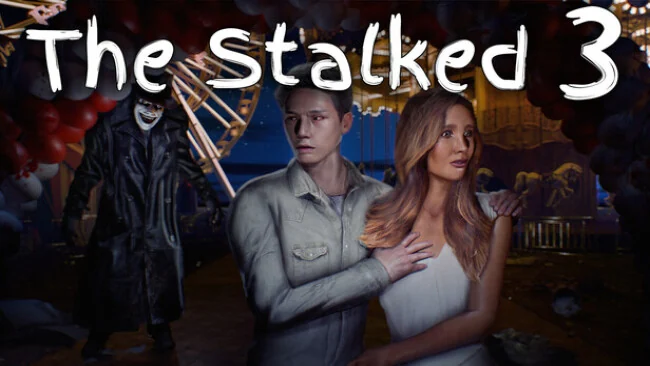
Olivia’s ill-advised late-night visit to a shuttered carnival turns a familiar date-night thrill into a compact, nerve-rattling survival story. The Stalked 3 is a first-person psychological horror experience built around vulnerability rather than action, following a 19-year-old college student as an unseen presence closes in. Its mood is deliberately grim: empty midway attractions, poorly lit rooms, strange noises beyond your field of view, and the growing certainty that the park is not abandoned. The roughly hour-long campaign aims for a concentrated scare rather than a sprawling horror epic, making every quiet moment feel suspect.
Players guide Olivia through her apartment, a convenience store, and the eerie Creepwood Wonderland Carnival while piecing together what is happening around her. Interaction drives much of the experience, from checking phones and exchanging texts to speaking with characters and investigating the environments for the next way forward. There is no power-fantasy combat loop to blunt the tension; the focus stays on walking, observing, reacting, and pushing onward when instinct says to run. The story unfolds in a linear fashion, so progression is accessible and direct, though the suspense depends on noticing environmental details and enduring prolonged periods of uncertainty.
What separates it from larger survival-horror releases is its intimate scale and stalking-focused premise. Rather than filling the night with elaborate puzzles, monsters, or huge maps, it concentrates on the dread of being followed through ordinary spaces that become increasingly unsafe. The carnival setting gives it a slasher-movie edge, while phone conversations and grounded locations keep Olivia’s predicament personal. Fans of short indie horrors and games such as Fears to Fathom or Chilla’s Art-style first-person thrillers should find its pacing familiar, especially if they prefer atmosphere over combat. Newcomers can finish it without major mechanical hurdles, but players sensitive to flashing imagery, anxiety-driven pursuit, or intense psychological horror should take its content warning seriously.
Screenshots
Installation
- Select the Download button at the top of this page to open UploadHaven.
- On UploadHaven, wait for any countdown, then select Free Download. Optional: UploadHaven Pro for faster downloads.
- When complete, extract the archive to a The Stalked 3 folder using 7-Zip.
- Open the extracted folder and start the game normally.
- For errors, check Setup Guide & Troubleshooting below. Keep your security software enabled.
System Requirements
- OS: Windows 10
- Processor: Intel Core i5-6500
- Memory: 8 GB RAM
- Graphics: NVIDIA GeForce GTX 1650
- Storage: 7 GB available space
Setup Guide & Troubleshooting
How do I fix missing DLL errors for The Stalked 3 (v1.0.2)?
After extracting The Stalked 3 (v1.0.2), navigate to the _Redist or _CommonRedist folder inside the game directory and install DirectX, Vcredist, and any other dependencies included.
What should I do if the downloaded file is corrupted?
The full archive is 3.47 GB — make sure your download completed fully before extracting. Use 7-Zip to extract the files. If you still see a "file corrupted" error, re-download and try again.
Do I need to run the game as administrator?
Usually, no. Start the game normally from the extracted folder. If you see a permissions or save error, check that the folder is writable and follow the game's documented fix. Only grant administrator access when a trusted game's specific setup requires it.
How do I update my GPU drivers for this game?
The game won't launch — what should I try?
Check that extraction completed and your PC meets the system requirements. Note any error message before choosing a fix. If it identifies a missing runtime, install the required DirectX components or Microsoft Visual C++ Redistributable from Microsoft.
My antivirus is blocking the game — is it safe?
A warning needs to be investigated; the download source alone cannot confirm that a file is safe. Keep your security software enabled and review the detection details. Do not run or restore a flagged file unless you have verified that it is a false positive. If you are unsure, leave it quarantined.
