
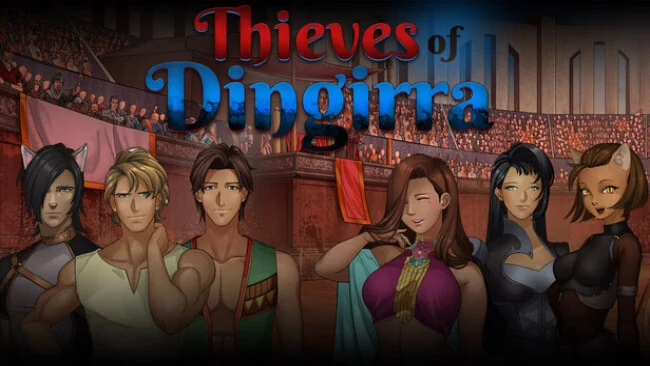
Game Overview
A stranger’s climb from unknown operator to underworld ruler drives this fantasy crime-management RPG, where every gain comes at the expense of Dingirra’s entrenched powers. The city is divided among rival Families, protected territories, businesses worth stealing, and influential figures who may employ, threaten, or betray an ambitious newcomer. Its tone leans toward political scheming and personal drama rather than random dungeon crawling, with your guild’s growth shaping the balance of power across a dangerous urban setting.
Most of the campaign revolves around recruiting specialists, scouting opportunities, and assigning the right crew members to robberies, intimidation jobs, and other criminal ventures. Thieves, fighters, scouts, and experts each bring distinct talents and personalities, so success depends on matching a team to the risks of a target while expanding income-producing holdings. Certain major problems put the Master Thief directly in the field alongside companions for story-focused RPG missions with choices, alternate routes, encounters, and bespoke boss fights. Character creation allows for human or elf protagonists of either gender, while skills and conversational attitudes influence both combat options and how other characters react.
The strongest idea here is the way guild administration feeds directly into a branching narrative instead of existing as a detached strategy layer. Dingirra is not merely a map to paint in your color: crew members have histories, rivalries, friendships, and potential romances, giving the growing organization a more personal stake than a collection of expendable units. With a large written campaign, no emphasis on repetitive grinding, and a mix of territory control and party-based RPG scenes, it suits players who enjoy the criminal empire building of strategy games alongside the companion drama of classic computer RPGs. Veterans of narrative-heavy management hybrids should find plenty to manipulate, while newcomers get a focused campaign rather than an overwhelming sandbox.
Screenshots
Installation
- Select the Download button at the top of this page to open UploadHaven.
- On UploadHaven, wait for any countdown, then select Free Download. Optional: UploadHaven Pro for faster downloads.
- When complete, extract the archive to a Thieves Of Dingirra folder using 7-Zip.
- Open the extracted folder and start the game normally.
- For errors, check Setup Guide & Troubleshooting below. Keep your security software enabled.
System Requirements
- OS *: Windows 7 and newer
- Processor: 1 Ghz
- Memory: 1 GB RAM
- Storage: 200 MB available space
Setup Guide & Troubleshooting
How do I fix missing DLL errors for Thieves Of Dingirra (v1.1.3)?
After extracting Thieves Of Dingirra (v1.1.3), navigate to the _Redist or _CommonRedist folder inside the game directory and install DirectX, Vcredist, and any other dependencies included.
What should I do if the downloaded file is corrupted?
The full archive is 590.65 MB — make sure your download completed fully before extracting. Use 7-Zip to extract the files. If you still see a "file corrupted" error, re-download and try again.
Do I need to run the game as administrator?
Usually, no. Start the game normally from the extracted folder. If you see a permissions or save error, check that the folder is writable and follow the game's documented fix. Only grant administrator access when a trusted game's specific setup requires it.
How do I update my GPU drivers for this game?
The game won't launch — what should I try?
Check that extraction completed and your PC meets the system requirements. Note any error message before choosing a fix. If it identifies a missing runtime, install the required DirectX components or Microsoft Visual C++ Redistributable from Microsoft.
My antivirus is blocking the game — is it safe?
A warning needs to be investigated; the download source alone cannot confirm that a file is safe. Keep your security software enabled and review the detection details. Do not run or restore a flagged file unless you have verified that it is a false positive. If you are unsure, leave it quarantined.
