
Game Overview
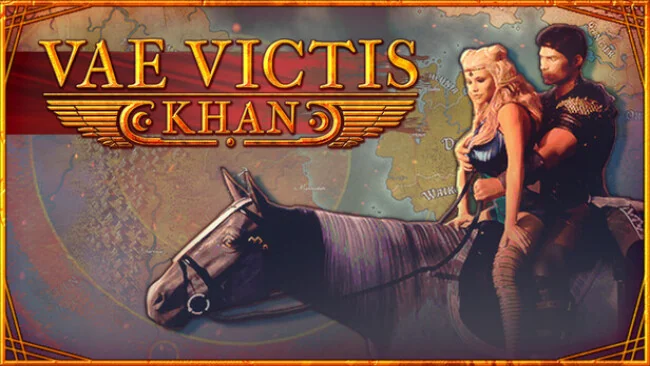
A grim fantasy revenge tale drives the action, placing players in command of Karder Dal-Arouya, a deposed prince determined to take back an empire from the mother who betrayed him. Vae Victis – Khan mixes conquest, court politics, and adult storytelling in a deliberately harsh setting where its protagonist is more antihero than noble liberator. The tone is unapologetically mature and often cruel, though the narrative usually leaves room to pursue a less brutal approach. Its central appeal lies in deciding what kind of tyrant—or calculating ruler—Karder becomes while expanding his power.
Conquests begin with choosing a neighboring fiefdom, building enough military strength and wealth to challenge its ruler, then navigating encounters that can alter the campaign. One-on-one battles use a modified rock-paper-scissors format, with aggressive, defensive, and nonlethal subdue options adding more intent than a simple guessing game. Captured rulers can become imprisoned victims or useful members of Karder’s council, with each route affecting the available scenes, information, and strategic advantages. Between major invasions, miniquests offer sabotage missions, artifact hunts, puzzles, and repeat meetings with characters whose lives change after crossing paths with the player.
Fiefdom management gives the game its campaign structure: troops and gold fuel expansion, while morale and obedience need attention if Karder wants to avoid revolt. The artwork and writing aim squarely at an adult audience, featuring explicit sexual material, domination themes, and a protagonist capable of deeply unpleasant choices; players uncomfortable with coercive content should give it a wide berth. Ongoing additions broaden the realm with new territories, rulers, story material, and systems, making it feel closer to an episodic adult strategy adventure than a finished standalone epic. Fans of choice-driven visual novels who enjoy light kingdom management and stylized duel systems will find the premise distinctive, while players seeking nuanced morality or conventional tactical warfare may find its darker fantasies too central.
Screenshots
Installation
- Select the Download button at the top of this page to open UploadHaven.
- On UploadHaven, wait for any countdown, then select Free Download. Optional: UploadHaven Pro for faster downloads.
- When complete, extract the archive to a Vae Victis - Khan folder using 7-Zip.
- Open the extracted folder and start the game normally.
- For errors, check Setup Guide & Troubleshooting below. Keep your security software enabled.
System Requirements
- OS *: Windows 7 or higher
- Processor: 2.0 GHz Core 2 Duo
- Memory: 4 GB RAM
- Graphics: OpenGL 2.0 or DirectX 9.0c compatible
- DirectX: Version 9.0c
- Storage: 9 GB available space
Setup Guide & Troubleshooting
How do I fix missing DLL errors for Vae Victis – Khan (v0.18.8 & Uncensored)?
After extracting Vae Victis – Khan (v0.18.8 & Uncensored), navigate to the _Redist or _CommonRedist folder inside the game directory and install DirectX, Vcredist, and any other dependencies included.
What should I do if the downloaded file is corrupted?
The full archive is 8.06 GB — make sure your download completed fully before extracting. Use 7-Zip to extract the files. If you still see a "file corrupted" error, re-download and try again.
Do I need to run the game as administrator?
Usually, no. Start the game normally from the extracted folder. If you see a permissions or save error, check that the folder is writable and follow the game's documented fix. Only grant administrator access when a trusted game's specific setup requires it.
How do I update my GPU drivers for this game?
The game won't launch — what should I try?
Check that extraction completed and your PC meets the system requirements, including Version 9.0c. Note any error message before choosing a fix. If it identifies a missing runtime, install the required DirectX components or Microsoft Visual C++ Redistributable from Microsoft.
My antivirus is blocking the game — is it safe?
A warning needs to be investigated; the download source alone cannot confirm that a file is safe. Keep your security software enabled and review the detection details. Do not run or restore a flagged file unless you have verified that it is a false positive. If you are unsure, leave it quarantined.
