
Game Overview
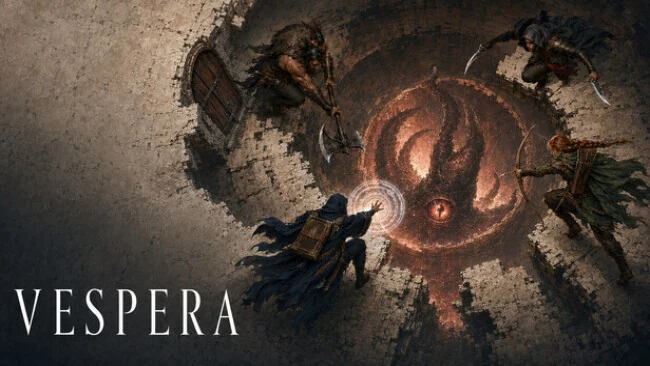
Dark-fantasy action RPG combat meets the steady progression of an idle looter in a grim frontier shaped by monsters, ruined strongholds, and the threat beyond Vesper Gate. Vespera begins as a grounded hunt for survival before opening into a broader campaign of dungeon delving, faction warfare, and increasingly punishing endgame trials. Its tone is bleak without becoming overly oppressive, balancing bloody executions and dangerous magic with the satisfying routine of gathering materials, upgrading gear, and watching a carefully planned build come together.
Combat centers on four distinct archetypes: the hard-hitting Barbarian, spell-focused Arcanist, trap-setting Warden, and evasive Nightblade. Each class branches into three specializations, with talent choices supporting styles such as bleed damage, freezes, poison stacking, barriers, precision shots, and critical-hit assassinations. Players clear standard and Nightmare Dungeons, climb the Tower for rare Soulbound equipment, and push through the endless Spire, where Tarot choices can grant enormous advantages or introduce harsh penalties. Between fights, chopping wood, mining ore, fishing, and hunting provide the ingredients for weapons, armor, food, and potions, while mercenaries either accompany you or run expeditions in the background. Auto-combat, abilities, healing, gathering, and loot filters remain customizable, and several activities continue progressing offline for up to a day.
Character building gives the grind real purpose, with socketable gems, six elemental advancement paths, skill engravings, and Soulwake upgrades adding layers beyond simple item-level chasing. Clear in-game loot information makes targeted farming less opaque than in many ARPGs, while factions, shared War Chests, and rotating world bosses add a light social component. Vespera suits players who enjoy Diablo-style build crafting but want a more relaxed, systems-heavy loop that still rewards active dungeon runs and difficult encounters.
Screenshots
Installation
- Select the Download button at the top of this page to open UploadHaven.
- On UploadHaven, wait for any countdown, then select Free Download. Optional: UploadHaven Pro for faster downloads.
- When complete, extract the archive to a Vespera folder using 7-Zip.
- Open the extracted folder and start the game normally.
- For errors, check Setup Guide & Troubleshooting below. Keep your security software enabled.
System Requirements
- OS: Microsoft Windows 10 64-bit
- Processor: Intel Core i3-2100 / AMD FX-4300 or equivalent
- Memory: 4 GB RAM
- Graphics: Intel HD Graphics 4000 / GeForce GT 630 / Radeon R7 250 or equivalent
- Storage: 2 GB available space
- Sound Card: DirectX 11 compatible sound card
- Additional Notes: Mouse required. 64-bit processor and operating system required.
Setup Guide & Troubleshooting
How do I fix missing DLL errors for Vespera?
After extracting Vespera, navigate to the _Redist or _CommonRedist folder inside the game directory and install DirectX, Vcredist, and any other dependencies included.
What should I do if the downloaded file is corrupted?
The full archive is 438.44 MB — make sure your download completed fully before extracting. Use 7-Zip to extract the files. If you still see a "file corrupted" error, re-download and try again.
Do I need to run the game as administrator?
Usually, no. Start the game normally from the extracted folder. If you see a permissions or save error, check that the folder is writable and follow the game's documented fix. Only grant administrator access when a trusted game's specific setup requires it.
How do I update my GPU drivers for this game?
The game won't launch — what should I try?
Check that extraction completed and your PC meets the system requirements. Note any error message before choosing a fix. If it identifies a missing runtime, install the required DirectX components or Microsoft Visual C++ Redistributable from Microsoft.
My antivirus is blocking the game — is it safe?
A warning needs to be investigated; the download source alone cannot confirm that a file is safe. Keep your security software enabled and review the detection details. Do not run or restore a flagged file unless you have verified that it is a false positive. If you are unsure, leave it quarantined.
