
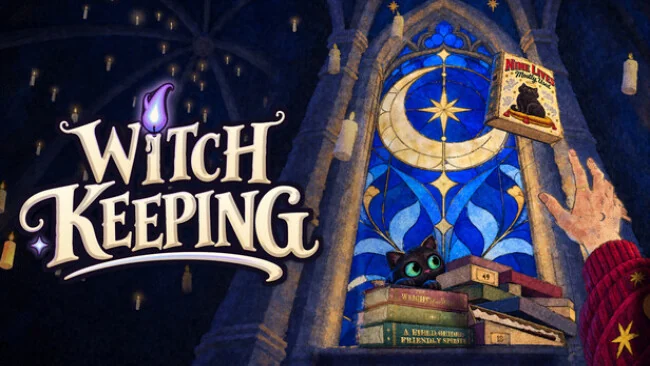
Game Overview
A shuttered magical library becomes an after-hours workplace full of unfinished business, demanding equal parts patience, observation, and broomstick control. You arrive under a supposedly short-term appointment from the Witchkeeping Academy, only to find shelves in disarray, correspondence piling up, and their former keepers trapped in enchanted sleep. The mood is cozy and quietly uncanny rather than frightening: dusty stacks, candlelit detours, opinionated witches, and the persistent feeling that the job is more personal than the letter suggests.
Most of the work revolves around restoring book series by arranging volumes so the artwork across their spines forms a complete image. Completing a set lets you awaken its author, opening conversations that help untangle the library’s requests and secrets. Reaching distant shelves involves flying through the vertical spaces on a broom, while unruly books occasionally break loose and turn into brief aerial chases. Letters delivered by owl present practical magical problems, and you search the collection, consult awakened witches, select a useful title, and send out a duplicate through Abracargo while retaining the original volume.
Witchkeeping stands out by turning cataloguing into a tactile puzzle rather than treating books as background decoration. Its systems connect naturally: spine-matching restores authors, authors offer advice, advice informs letter requests, and the journal tracks incomplete series and outstanding cases without making the experience feel like a frantic checklist. The game favors unhurried exploration and small discoveries over combat or high-pressure survival, making it a strong fit for players who enjoy the gentle investigative rhythm of A Little to the Left, the magical charm of Hogwarts-style libraries, or low-stakes puzzle adventures. Veterans of cozy games will appreciate its layered task structure, while newcomers get a welcoming premise with clear, satisfying goals.
Screenshots
Installation
- Select the Download button at the top of this page to open UploadHaven.
- On UploadHaven, wait for any countdown, then select Free Download. Optional: UploadHaven Pro for faster downloads.
- When complete, extract the archive to a Witchkeeping folder using 7-Zip.
- Open the extracted folder and start the game normally.
- For errors, check Setup Guide & Troubleshooting below. Keep your security software enabled.
System Requirements
- Requires a 64-bit processor and operating system
- OS: Windows 10 64-bit
- Processor: Intel Core i3-6100 / AMD Ryzen 3 1200
- Memory: 8192 MB RAM
- Graphics: NVIDIA GTX 960 (2 GB) / AMD RX 560
- DirectX: Version 11
- Storage: 5 GB available space
Setup Guide & Troubleshooting
How do I fix missing DLL errors for Witchkeeping?
After extracting Witchkeeping, navigate to the _Redist or _CommonRedist folder inside the game directory and install DirectX, Vcredist, and any other dependencies included.
What should I do if the downloaded file is corrupted?
The full archive is 2.64 GB — make sure your download completed fully before extracting. Use 7-Zip to extract the files. If you still see a "file corrupted" error, re-download and try again.
Do I need to run the game as administrator?
Usually, no. Start the game normally from the extracted folder. If you see a permissions or save error, check that the folder is writable and follow the game's documented fix. Only grant administrator access when a trusted game's specific setup requires it.
How do I update my GPU drivers for this game?
The game won't launch — what should I try?
Check that extraction completed and your PC meets the system requirements, including Version 11. Note any error message before choosing a fix. If it identifies a missing runtime, install the required DirectX components or Microsoft Visual C++ Redistributable from Microsoft.
My antivirus is blocking the game — is it safe?
A warning needs to be investigated; the download source alone cannot confirm that a file is safe. Keep your security software enabled and review the detection details. Do not run or restore a flagged file unless you have verified that it is a false positive. If you are unsure, leave it quarantined.
